
- Supported Skript Version
- 2.12
- 2.13
- 2.14
- 2.15
- Supported Minecraft Versions
- 1.20
- 1.21
- 26.1
Requirements : Skript
About the Script:
This script provides a fully redesigned and modular Hammer Mining System for Minecraft servers using Skript.It allows players to mine large areas instantly using special hammers with custom model data, while maintaining full control over breaking shapes, directions, and tool durability.
The system is built on a clean and unified configuration structure, making it easy to add new hammer types, adjust breaking sizes, or customize behavior without touching the core logic.Each hammer uses directional offsets to generate accurate breaking patterns based on the player’s pitch and horizontal facing, ensuring consistent and predictable mining results.
The script also includes a protection layer that prevents breaking unbreakable or restricted blocks, handles tool durability correctly, and supports natural block drops.With the /hammer command, players or admins can easily give themselves any hammer type with the correct model data.
Overall, this script delivers a powerful, optimized, and expandable hammer system suitable for survival, custom SMPs, or mod‑like gameplay enhancements.
 Features:
- Unified & Modular Configuration
- Accurate Direction-Based Breaking
- Multiple Hammer Types
- Perfect Cuboid Mining
- Block Protection System
- Realistic Tool Durability
- Natural Block Drops
- Clean & Optimized Breaking Logic
- Aternos Support
Installation:
- Place the main code inside: Skript/scripts
Compatibility:
The script supports both Java and Bedrock players.
Usage:
To get the hammer use this command:
Examples
Or you can set custom model data of an item to:
And you can add Unbreakable Blocks here:
How to Add a New Hammer Type?
1. Choose a Custom Model Data ID
Pick any number that is not already used. Example:
2. Register the Hammer Type
Add the hammer name to the hammer types list:
3. Assign the Model Data
Link the model data to the hammer type:
4. Define the Breaking Offsets
Each hammer type uses exactly two vectors:
Meaning:
If the player breaks a block at (X, Y, Z) and your first vector is vector(2, 0, -2),
then the hammer will treat (X + 2, Y + 0, Z - 2) as the first corner of the mining area.
Your second vector defines the opposite corner, and the system will automatically generate the full cuboid between these two corners.
Define the two vectors for each direction:
If you have any feedback or suggestions, I’d love to hear them so I can make it even better
About the Script:
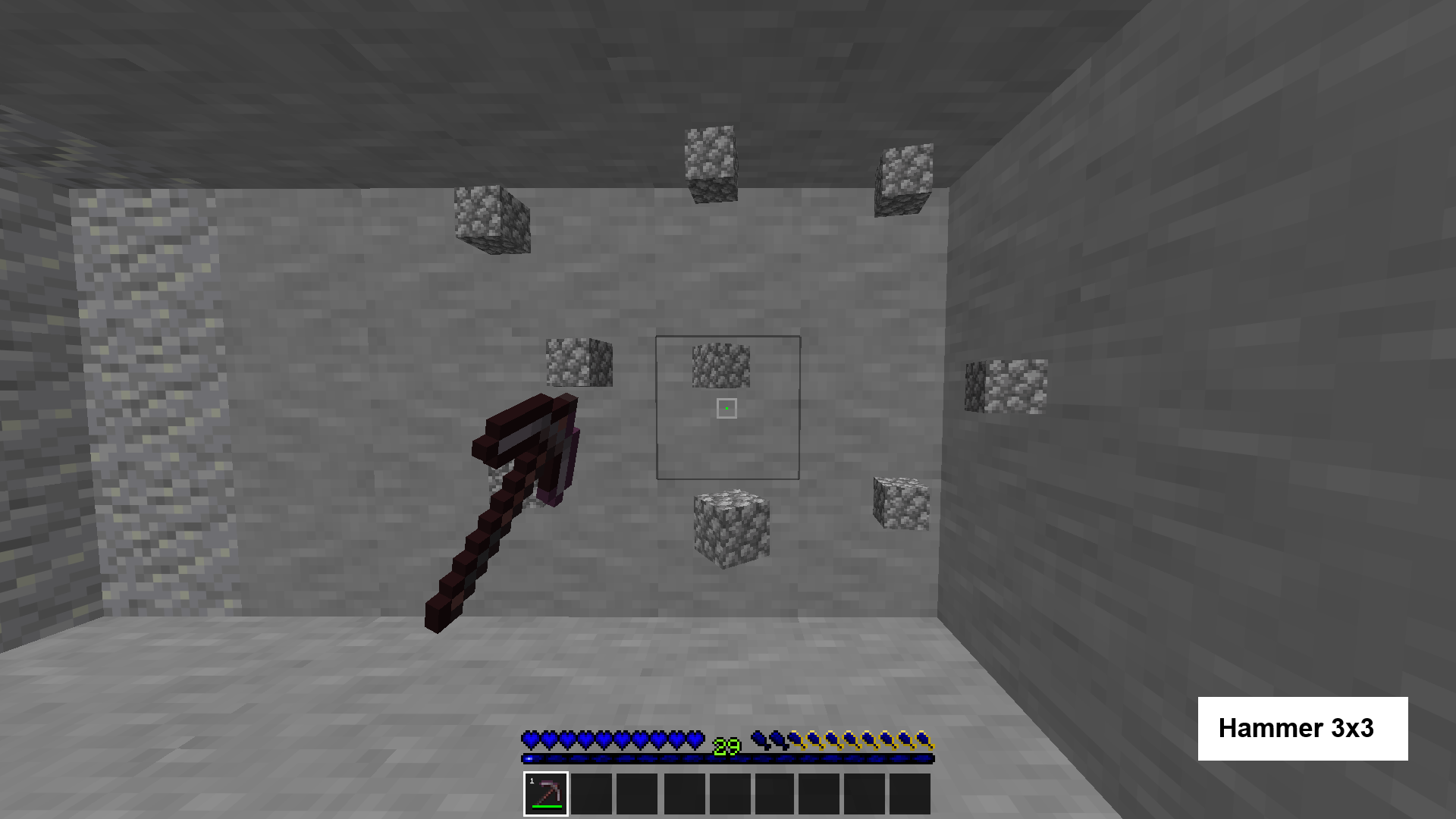
This script provides a fully redesigned and modular Hammer Mining System for Minecraft servers using Skript.It allows players to mine large areas instantly using special hammers with custom model data, while maintaining full control over breaking shapes, directions, and tool durability.
The system is built on a clean and unified configuration structure, making it easy to add new hammer types, adjust breaking sizes, or customize behavior without touching the core logic.Each hammer uses directional offsets to generate accurate breaking patterns based on the player’s pitch and horizontal facing, ensuring consistent and predictable mining results.
The script also includes a protection layer that prevents breaking unbreakable or restricted blocks, handles tool durability correctly, and supports natural block drops.With the /hammer command, players or admins can easily give themselves any hammer type with the correct model data.
Overall, this script delivers a powerful, optimized, and expandable hammer system suitable for survival, custom SMPs, or mod‑like gameplay enhancements.
Features:- Unified & Modular Configuration
- Accurate Direction-Based Breaking
- Multiple Hammer Types
- Perfect Cuboid Mining
- Block Protection System
- Realistic Tool Durability
- Natural Block Drops
- Clean & Optimized Breaking Logic
- Aternos Support
Installation:
- Place the main code inside: Skript/scripts
Compatibility:
The script supports both Java and Bedrock players.
Usage:
To get the hammer use this command:
Code:
/hammer <item> <hammer_type> [player]
# item (Required): Any item with durability.
# hammer_type (Required): 3x3, 3x3x3, 5x5 and 5x5x3
# player (Optional): Specific player
Examples
Code:
/hammer diamond_pickaxe 3x3
# Give you the 3x3 hammer
Code:
/hammer diamond_axe 3x3x3 KOUMOMOM
# Give KOUMOMOM the 3x3x3 hammer
Or you can set custom model data of an item to:
Code:
# 1245123 (3x3)
# 1245174 (3x3x3)
# 1245176 (5x5)
# 1245186 (5x5x3)
And you can add Unbreakable Blocks here:
Code:
set {Hammers.UnbreakableBlocks::*} to obsidian, end_portal_frame, command_block, barrier, structure_block, spawner, ender_chest, shulker_box and end_portalHow to Add a New Hammer Type?
1. Choose a Custom Model Data ID
Pick any number that is not already used. Example:
Code:
12451992. Register the Hammer Type
Add the hammer name to the hammer types list:
Code:
add "5x5x5" to {Hammers.Types::*}3. Assign the Model Data
Link the model data to the hammer type:
Code:
set {Hammers.Config.5x5x5.Model} to 1245199
set {Hammers.ModelToType.1245199} to "5x5x5"
4. Define the Breaking Offsets
Each hammer type uses exactly two vectors:
- Vector 1: The first corner of the cuboid
- Vector 2: The opposite corner of the cuboid
Meaning:
If the player breaks a block at (X, Y, Z) and your first vector is vector(2, 0, -2),
then the hammer will treat (X + 2, Y + 0, Z - 2) as the first corner of the mining area.
Your second vector defines the opposite corner, and the system will automatically generate the full cuboid between these two corners.
Define the two vectors for each direction:
Code:
set {Hammers.Config.5x5x5.Up::*} to vector(...) and vector(...)
set {Hammers.Config.5x5x5.Down::*} to vector(...) and vector(...)
set {Hammers.Config.5x5x5.South::*} to vector(...) and vector(...)
set {Hammers.Config.5x5x5.North::*} to vector(...) and vector(...)
set {Hammers.Config.5x5x5.East::*} to vector(...) and vector(...)
set {Hammers.Config.5x5x5.West::*} to vector(...) and vector(...)
If you have any feedback or suggestions, I’d love to hear them so I can make it even better

