help!!!!!

  • Welcome to skUnity!

    Welcome to skUnity! This is a forum where members of the Skript community can communicate and interact. Skript Resource Creators can post their Resources for all to see and use.

    If you haven't done so already, feel free to join our official Discord server to expand your level of interaction with the community!

    Now, what are you waiting for? Join the community now!

  • LOOKING FOR A VERSION OF SKRIPT?

    You can always check out skUnity Downloads for downloads and any other information about Skript!

ysj5896

Member
Nov 26, 2023
15
0
1
Code:
set {_e} to block 10 blocks in front of player's eyes
set {_e} to block 2 blocks below {_e}
set {_loc_1} to block 2 blocks right of {_e}

set {_e} to block 10 blocks in front of player's eyes
set {_e} to block 2 blocks above {_e}
set {_loc_2} to block 2 blocks left of {_e}

add all blocks within {_loc_1} and {_loc_2} to {_list::*}
loop {_list::*}:
    set block at loop-value to stone bricks
wait 5 seconds
loop {_list::*}:
    set block at loop-value to air
delete {_list::*}

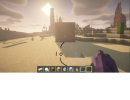
I wrote the code like this, but why is it generated as shown in the picture only when it is east or west?
 

Attachments

  • 1.png
    1.png
    786.2 KB · Views: 196
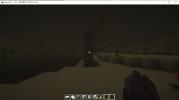
You want your walls to look like a painting no matter which direction you look at it.
 

Attachments

  • 2.png
    2.png
    526.6 KB · Views: 201
ok.... so the wall needs to be 10 blocks ahead of you, I've figured that.

I think I have got some code that you can change because there are some errors that i think you know how to fix.
 
Code:
options:
    WMItem: Iron ingot
    WMName: "&7Wall maker"
    WMLore: "&6RIGHT CLICK"

on right click:
  if player is holding iron ingot named "&7Wall maker" with lore "&6RIGHT CLICK":
    set {_loc} to 10 blocks infront of player's eyes

    #top corner
    set {_loc.top} to {_size} above {_loc}
    set {_loc.top} to {_size} left of {_loc.top}

    #bottom corner
    set {_loc.bottom} to {_size} below {_loc}
    set {_loc.bottom} to {_size} right of {_loc}

command /wallmaker [<text>]:
    aliases: /wm
    permission: wall.maker
    trigger:
        if player does not have permission "wall.maker":
            send "&4You do not have permission to do this!" to player
        else:
            if arg-1 is not set:
                send "&b&lUsage: /wm <get/number>" to player
            if arg-1 is "get":
                give player 1 {@WMItem} named {@WMName} with lore {@WMLore}
            else:
                set {_size} to arg-1
 
But the errors are:

[Skript] Reloading block-wall.sk...
27.11 10:12:11 [Server] Line 8: (custom-items/block-wall.sk)
27.11 10:12:11 [Server] Can't understand this expression: '10 blocks infront of player's eyes'
27.11 10:12:11 [Server] Line: set {_loc} to 10 blocks infront of player's eyes
27.11 10:12:11 [Server] Line 11: (custom-items/block-wall.sk)
27.11 10:12:11 [Server] Can't understand this expression: '{_size} above {_loc}'
27.11 10:12:11 [Server] Line: set {_loc.top} to {_size} above {_loc}
27.11 10:12:11 [Server] Line 12: (custom-items/block-wall.sk)
27.11 10:12:11 [Server] Can't understand this expression: '{_size} left of {_loc.top}'
27.11 10:12:11 [Server] Line: set {_loc.top} to {_size} left of {_loc.top}
27.11 10:12:11 [Server] Line 15: (custom-items/block-wall.sk)
27.11 10:12:11 [Server] Can't understand this expression: '{_size} below {_loc}'
27.11 10:12:11 [Server] Line: set {_loc.bottom} to {_size} below {_loc}
27.11 10:12:11 [Server] Line 16: (custom-items/block-wall.sk)
27.11 10:12:11 [Server] Can't understand this expression: '{_size} right of {_loc}'
27.11 10:12:11 [Server] Line: set {_loc.bottom} to {_size} right of {_loc}
27.11 10:12:11 [Server] [Skript] Encountered 5 errors while reloading block-wall.sk! (74ms)

 
Try this code, no errors appeared for me but I don't know if it works.

The main command is /wallmaker (/wm)
sub-commands:
/wm get - gives you the wall maker tool
/wm size <number> - changes the size of the square
/wm type <block_name (with underscores!)> - changes the block used to fill

Hope this works :emoji_slight_smile:
 

Attachments

  • block-wall.sk
    1.5 KB · Views: 210
Try this code, no errors appeared for me but I don't know if it works.

The main command is /wallmaker (/wm)
sub-commands:
/wm get - gives you the wall maker tool
/wm size <number> - changes the size of the square
/wm type <block_name (with underscores!)> - changes the block used to fill

Hope this works :emoji_slight_smile:
Block creation does not work...